Managing team security
ONERWAY supports passkeys as a login and verification method. At the team level, administrators can require members to use 2FA and handle reset requests submitted by members. In this flow, resetting 2FA also resets the member's existing passkeys.
For safer and easier team access management, we recommend creating a separate user for each member and assigning roles based on their responsibilities. This helps protect sign-in methods, keep activity records clear, and manage access more flexibly.
Enforce 2FA for your organisation
To require 2FA for all members:
- Go to Settings > Team and security > Two-factor authentication.
- Turn on Enforce two-factor authentication.
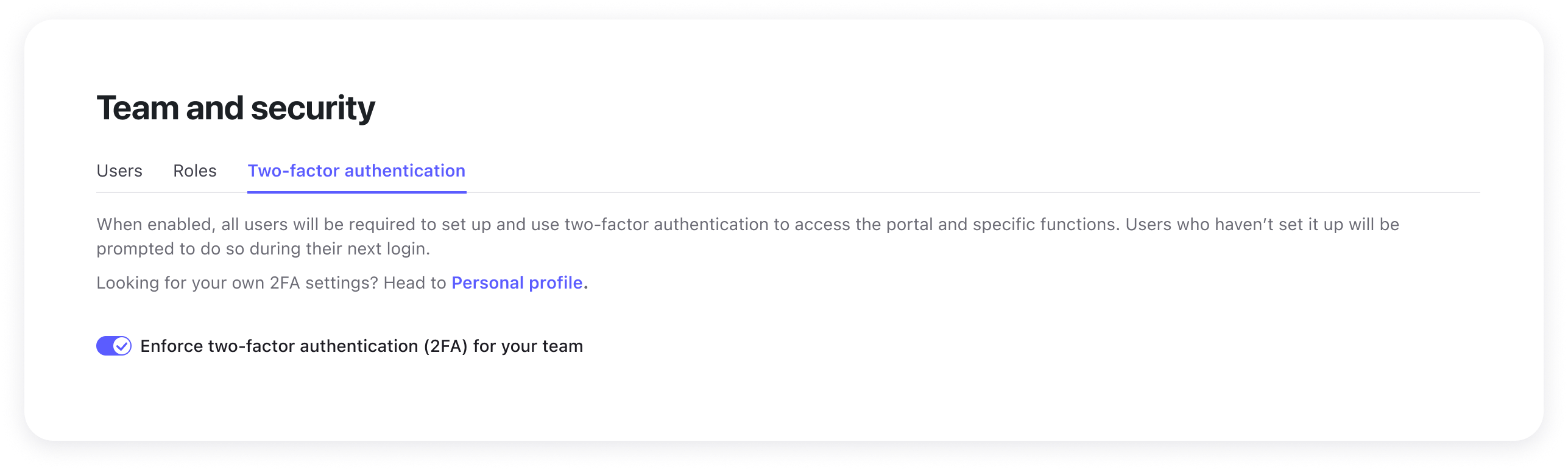
Once enabled, users who have not yet set up 2FA will be prompted to complete setup the next time they log in. They will not be able to access the dashboard until setup is complete.
Monitor your team's security status
The Team and security page helps you review your organisation's 2FA setup status.
You can use it to:
- Review which members have set up 2FA
- Identify users who still need to complete setup
Help members regain access
If a team member loses access to their usual verification method and cannot recover access on their own, they may need help from an administrator.
Handle a member's reset request
When a team member does not have an available recovery code, they can submit an online 2FA reset request from the account recovery flow. After the request is submitted:
- A Merchant Administrator is notified.
- Before resetting the account, verify the member's identity through a trusted secondary channel, such as an internal chat tool or a video call.
- Go to Settings > Team and security > Users, open the member's action menu, and select Reset two-factor authentication.
This action resets the member's existing 2FA settings and passkeys, allowing the member to log in again and complete a new security verification setup. It does not affect the member's account data, role, permissions, or other account settings.
A Merchant Administrator cannot reset their own account from this page. If a Merchant Administrator does not have an available recovery code, they should submit a request from the account recovery flow. ONERWAY support will be notified and will perform the reset after reviewing the request and verifying the administrator's identity.