Two-Factor Authentication (2FA)
What 2FA is
2FA reduces account takeover risk by combining your password with a second verification step.
With 2FA enabled, you log in with your password and complete one additional verification step. ONERWAY currently supports authenticator app and email verification.
2FA can also serve as a backup verification method if your passkey is not available.
We recommend using an authenticator app whenever possible, because it provides stronger protection than email verification.
Set up 2FA
You can set up 2FA in either of these ways:
- From the Secure your account page after you log in
- From Personal profile in your account settings
If your team admin requires 2FA, you may be prompted to set it up the next time you log in.
Set up an authenticator app
You can use apps such as Google Authenticator, Microsoft Authenticator, or Authy.
To set up an authenticator app:
- Open your chosen authenticator app.
- Add a new account.
- Scan the QR code shown in ONERWAY.
- Enter the 6-digit code from your app.
- Select Continue to finish setup.
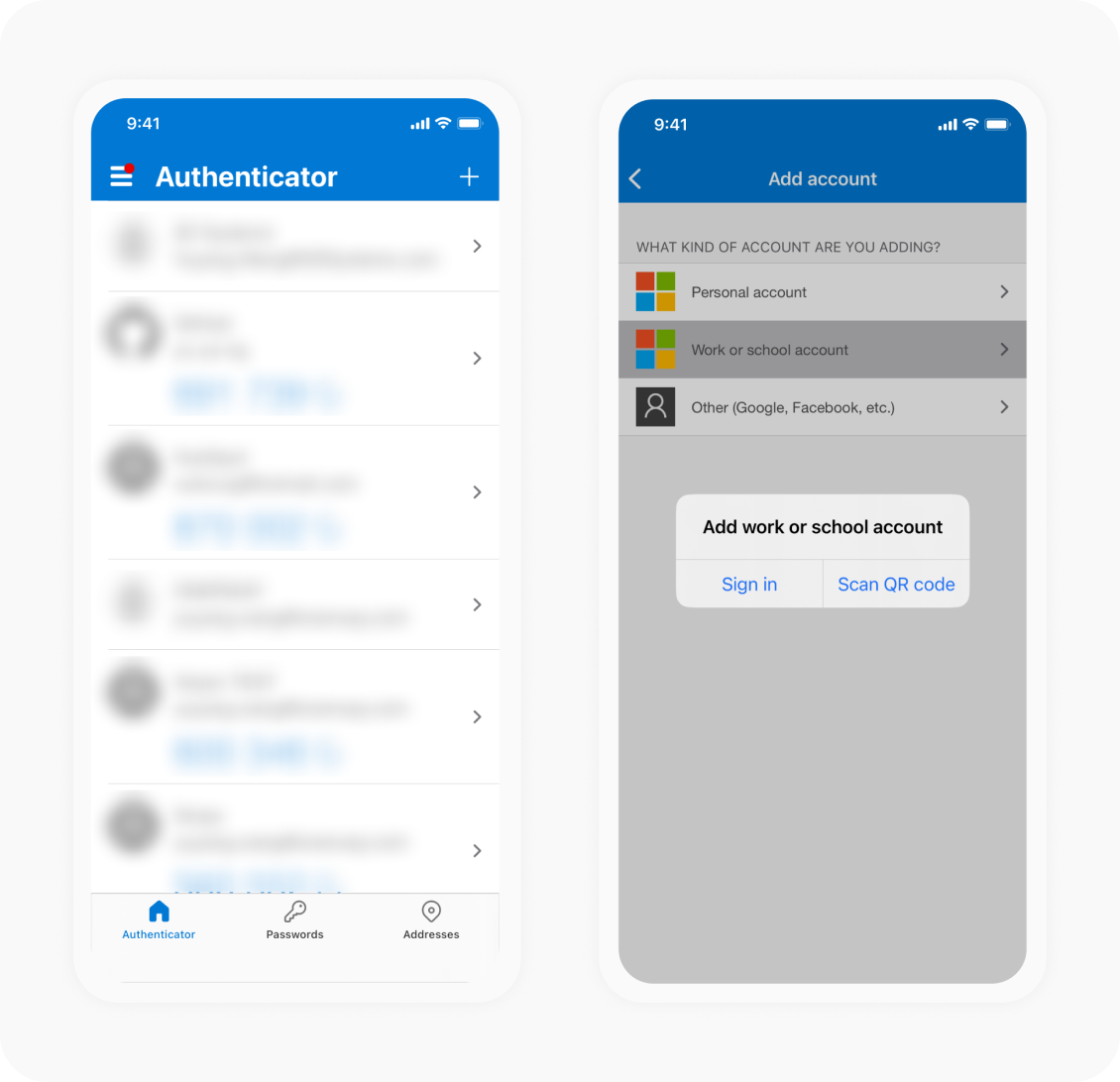
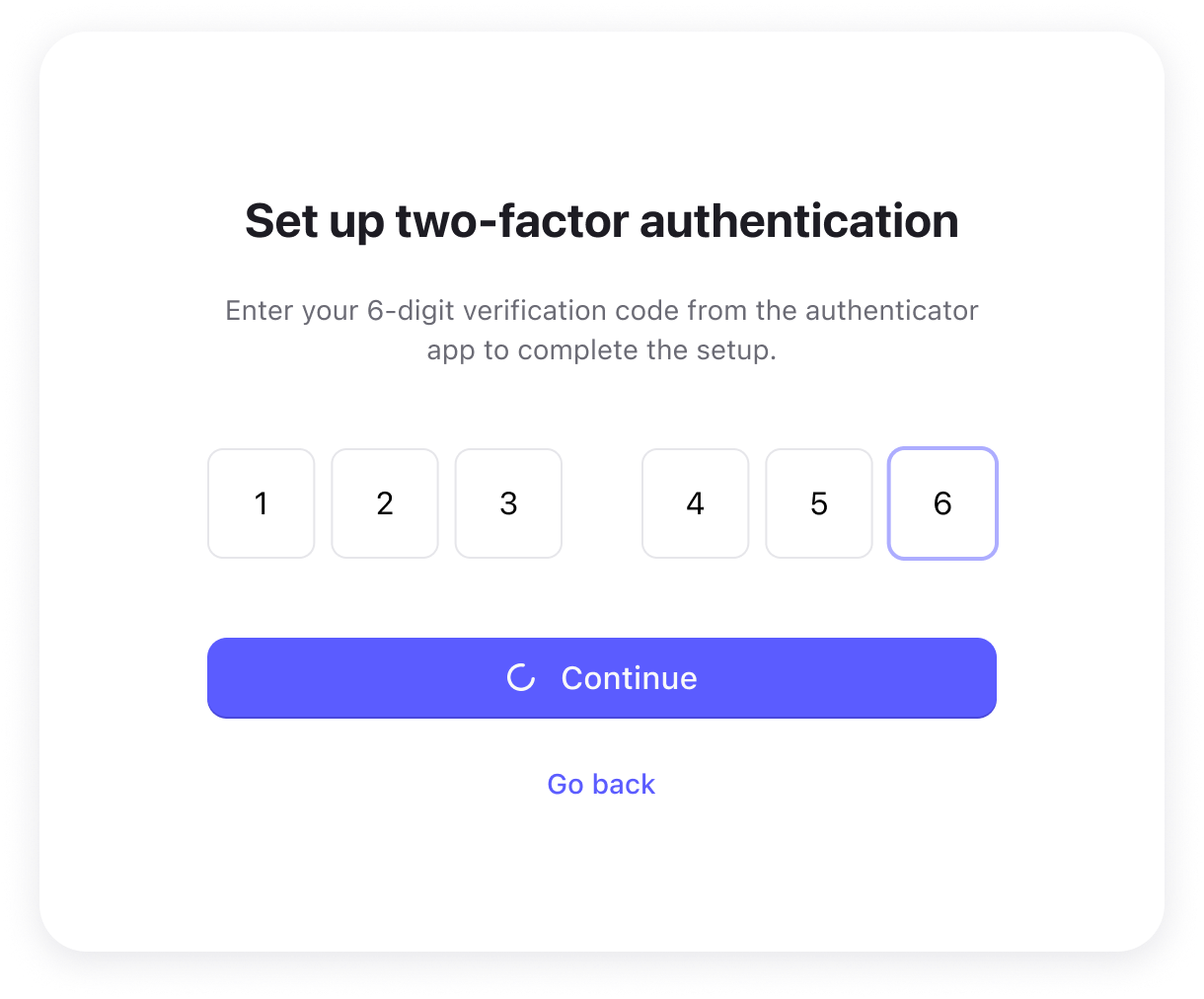
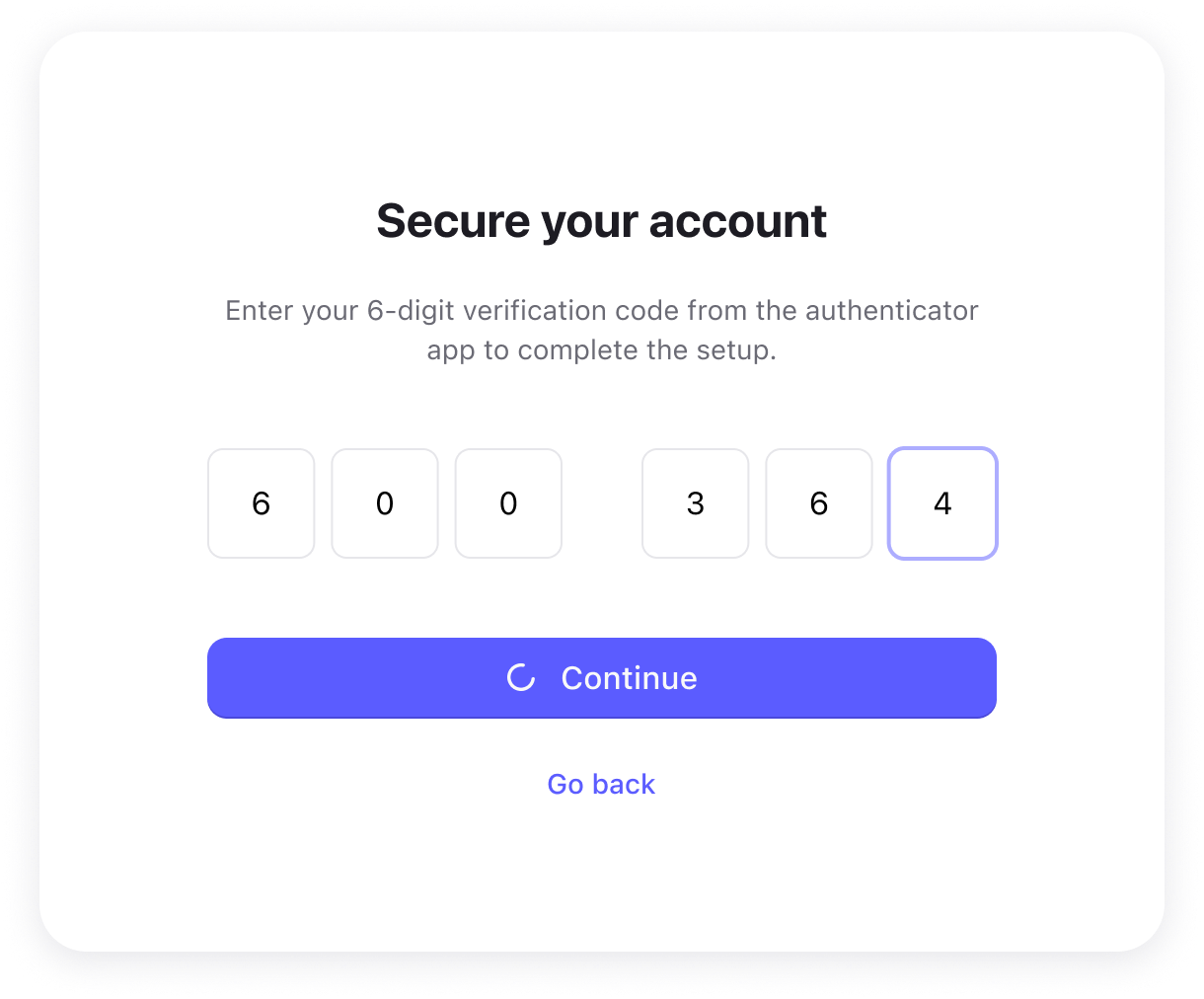
If you cannot scan the QR code, you can use the manual setup option and enter the secret key instead.
Set up email verification
To set up email verification:
- Select Send code and continue.
- Check your registered email address for the verification code.
- Enter the 6-digit code.
- Select Continue to finish setup.
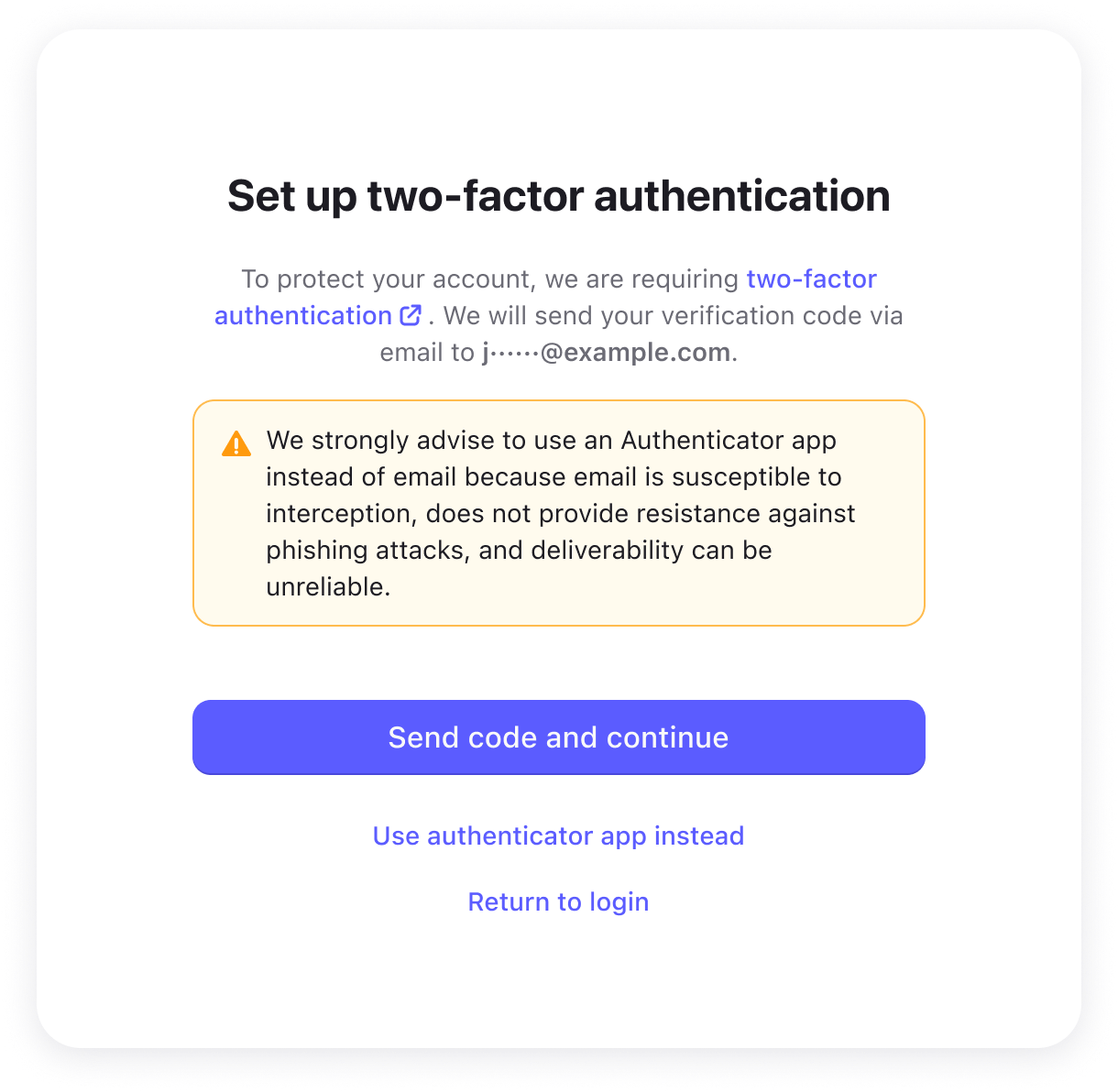
Choose your 2FA method
Authenticator app (recommended)
An authenticator app generates one-time verification codes on your device.
Why we recommend it:
- It works offline
- It provides stronger protection against interception and phishing
- It does not depend on access to your email inbox
Email verification
Email verification may be easier to start because no additional app is required, but it provides less protection than an authenticator app.
We do not recommend using email verification as your primary 2FA method because:
- Email can be intercepted
- It does not provide strong protection against phishing attacks
- Email delivery may be delayed or unreliable in some cases
You should only use email verification if you cannot use an authenticator app.
Recovery codes
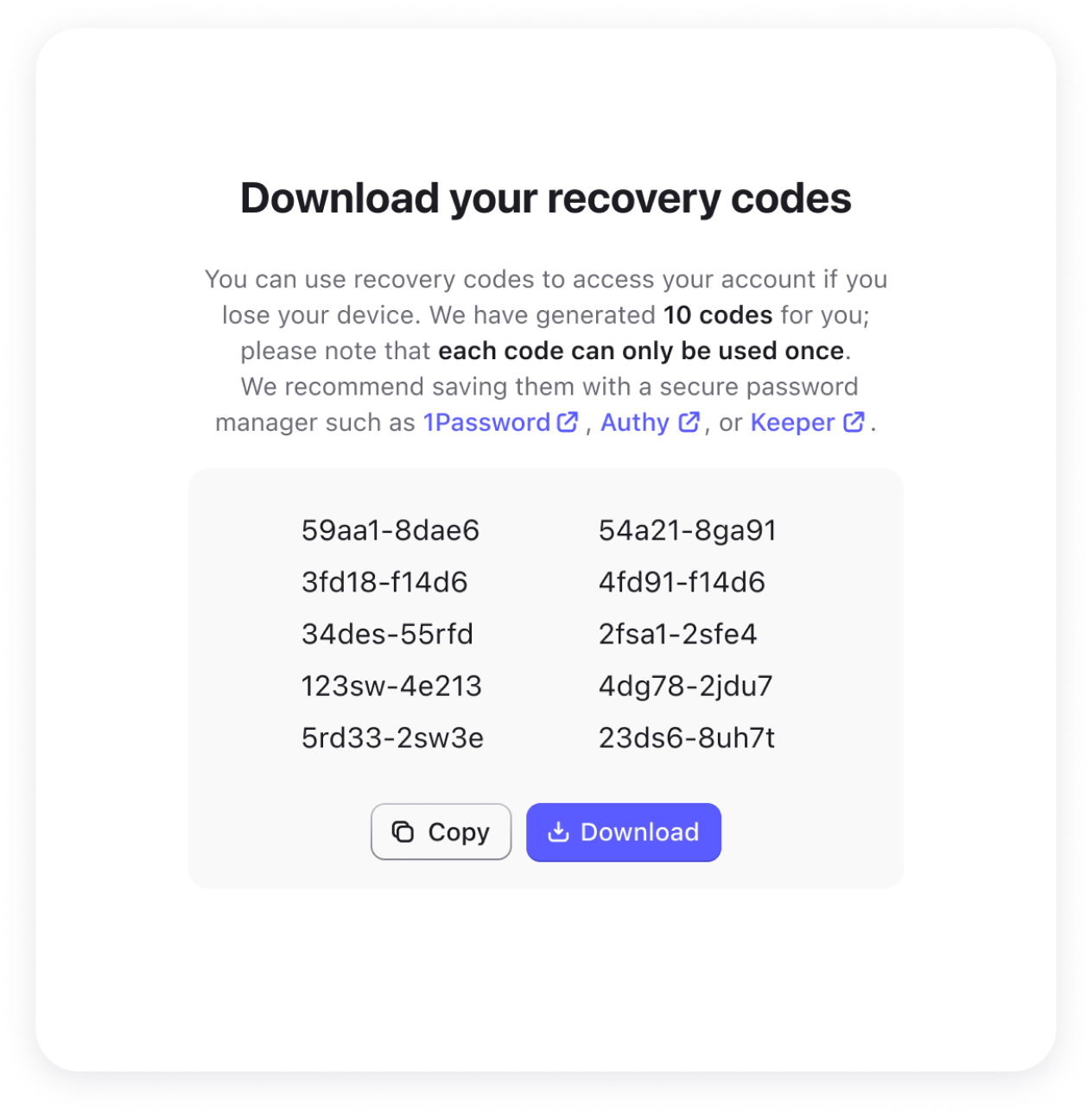
Recovery codes can help you regain access to your account if you cannot use your usual verification method, such as a passkey, authenticator app, or email verification.
Important:
- Each recovery code can only be used once
- Store them in a safe place
- Do not share them with anyone
After you use a recovery code
Recovery codes are for account recovery only.
If you use one, we recommend restoring your usual verification method as soon as possible. You may also want to update your recovery codes and store them in a safe place.
Manage your 2FA settings
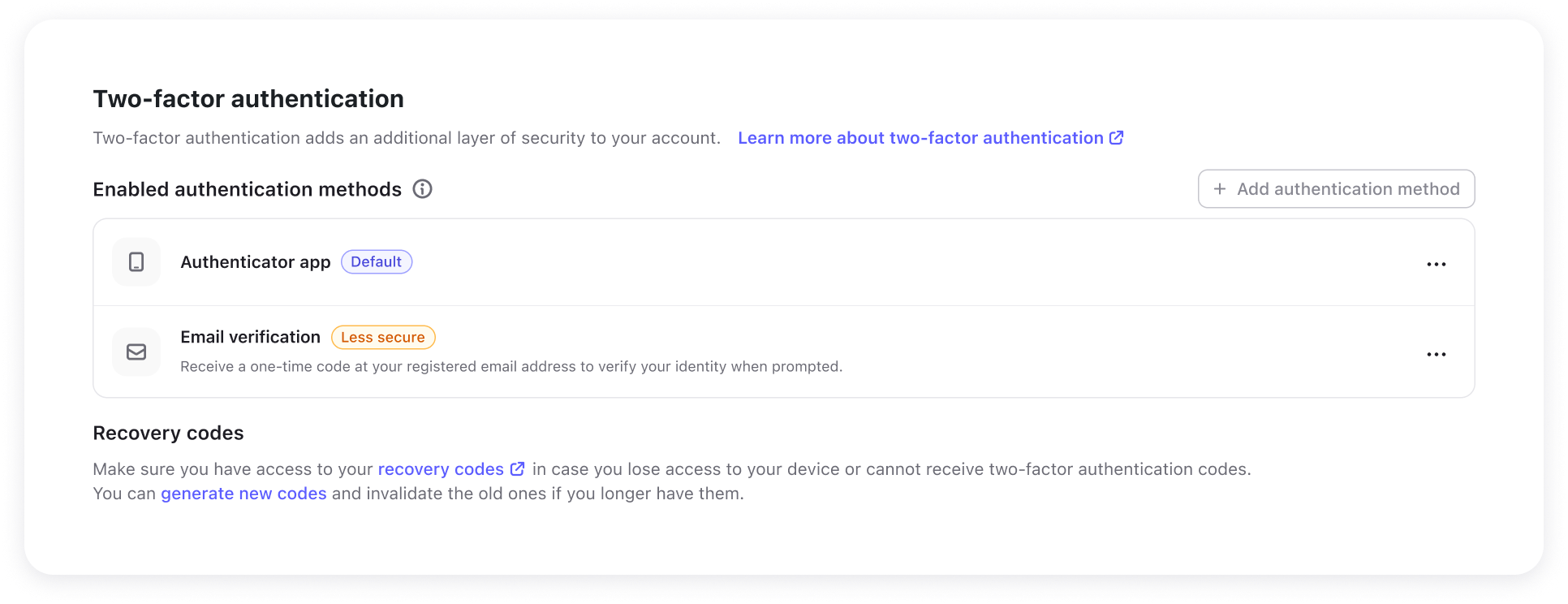
You can manage your 2FA settings from Personal profile.
Depending on your setup, you can:
- Add another 2FA method
- Choose your default 2FA method
- Regenerate recovery codes
- Remove a 2FA method
If both authenticator app and email verification are enabled, you can choose which one appears by default when 2FA is required.
Log in with 2FA
If your account has 2FA enabled and you log in with your password, you will need to complete an additional verification step before finishing login.
Depending on your account setup, you may be asked to use:
- A code from your authenticator app
- A code sent to your email
- A passkey to complete verification
- A recovery code, if needed
If you log in with a passkey directly, you may not need to complete a separate 2FA step.
If you can't access your account
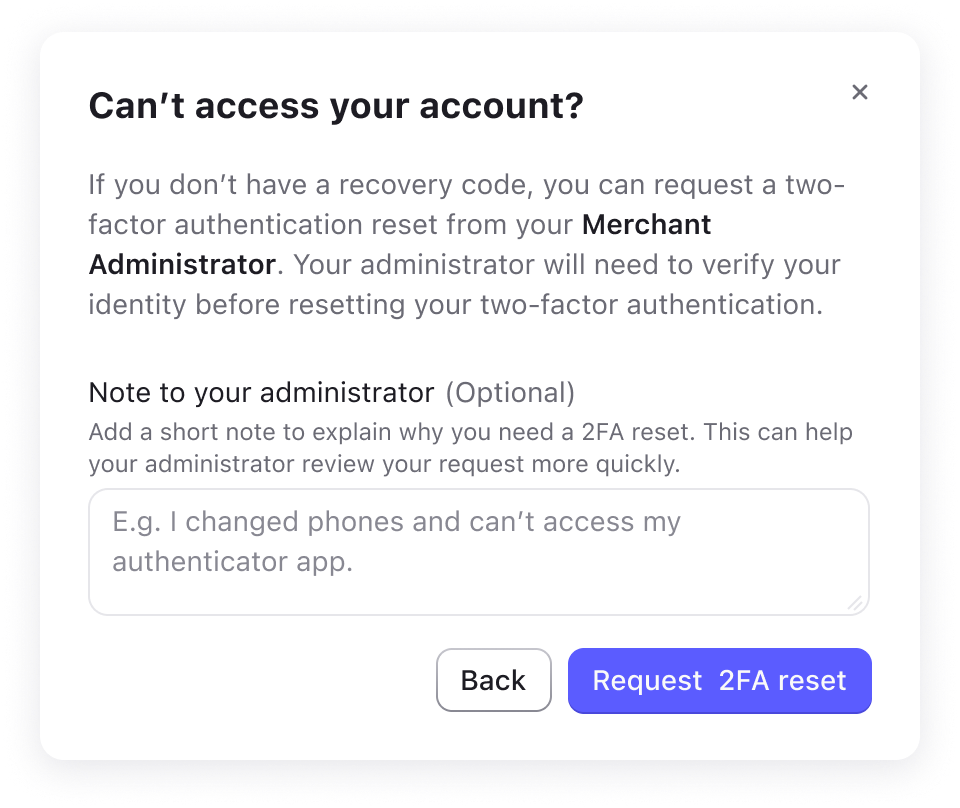
If you cannot use your passkey, authenticator app, or email verification, and you do not have an available recovery code, you can submit an online request to reset 2FA.
If you are a team member
- On the recovery code page, select the option indicating that you cannot use a recovery code.
- If needed, add a note to help your Merchant Administrator understand why you need a reset.
- Select Request 2FA reset.
- Your Merchant Administrator will be notified. After verifying your identity, the administrator can reset your 2FA from the ONERWAY portal.
- After the reset, log in again and set up your passkeys and 2FA methods.
If you are a Merchant Administrator
- On the recovery code page, select the option indicating that you cannot use a recovery code.
- If needed, add a note to help ONERWAY support understand why you need a reset.
- Select Request 2FA reset.
- ONERWAY support will be notified. After reviewing your request and verifying your identity, the support team will reset your 2FA.
- After the reset, log in again and set up your passkeys and 2FA methods.
To learn how a Merchant Administrator handles a team member's request, see Managing team security.