Passkey
A passkey is a passwordless way to log in. You can use your device's fingerprint, face recognition, or screen lock to sign in to ONERWAY more quickly.
Compared with passwords, passkeys are both more convenient and more secure. They can help reduce forgotten passwords and password reset requests, and are better protected against phishing and stolen-password attacks. Depending on your account setup, a passkey may also be used to verify your identity during certain sensitive actions.
Passkeys are supported on many modern devices and browsers, including iPhone, iPad, Mac, Android phones, Windows computers, and browsers such as Chrome, Safari, and Edge. To help you log in on a new device, ONERWAY may also recommend setting up another verification method, such as an authenticator app or email verification. See Two-factor authentication (2FA) and supported devices and browsers for more details.
Before you start
Before setting up a passkey, make sure that:
- You can log in to your ONERWAY account
- Your device and browser supports a passkey
- You have access to your existing verification method, if one is required before setup
If you do not have a passkey yet, ONERWAY may recommend setting one up after you log in.
Set up a passkey
You can set up a passkey in either of these ways:
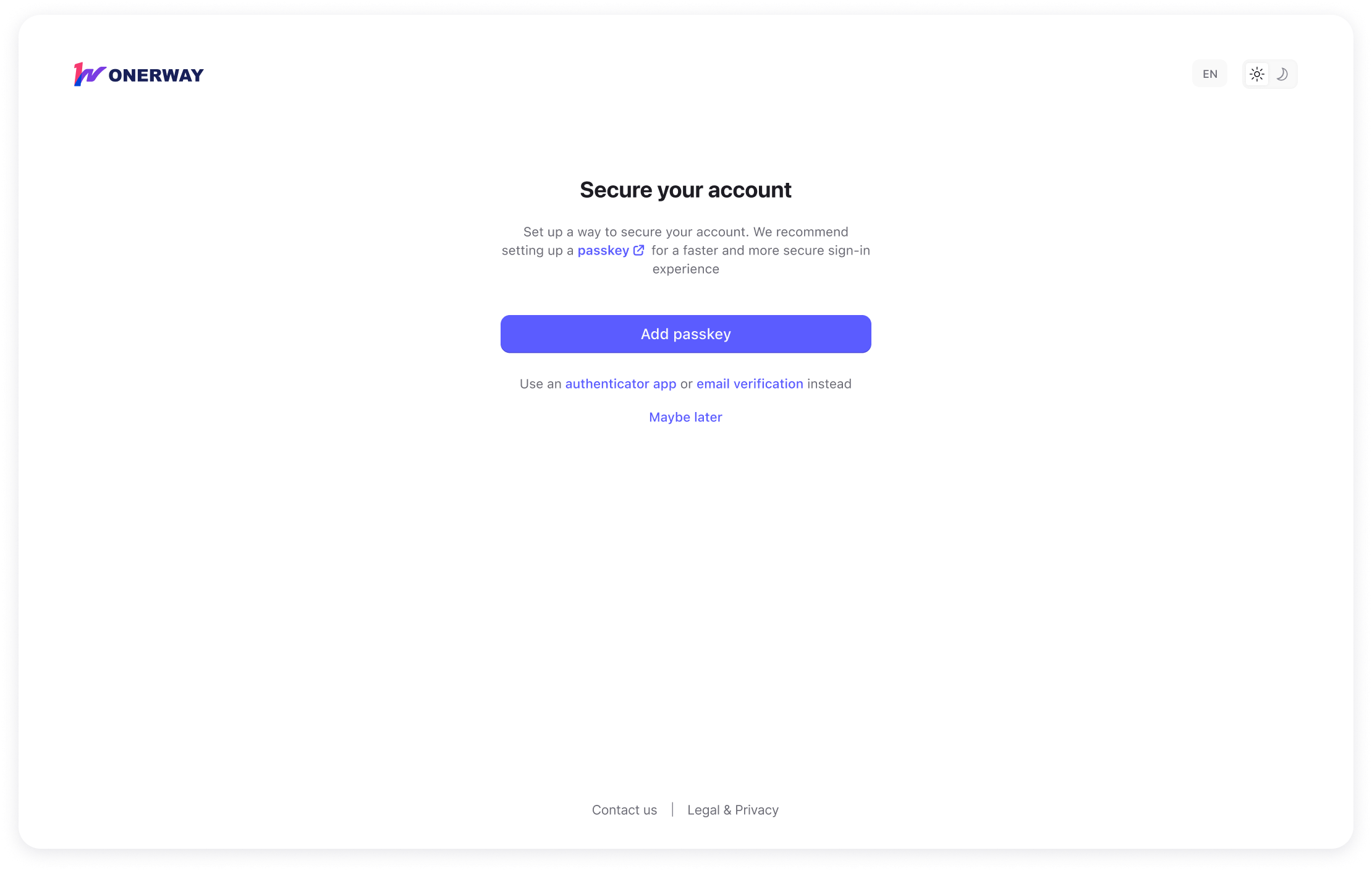
- From the Secure your account page after you log in
- From Personal profile in your account settings
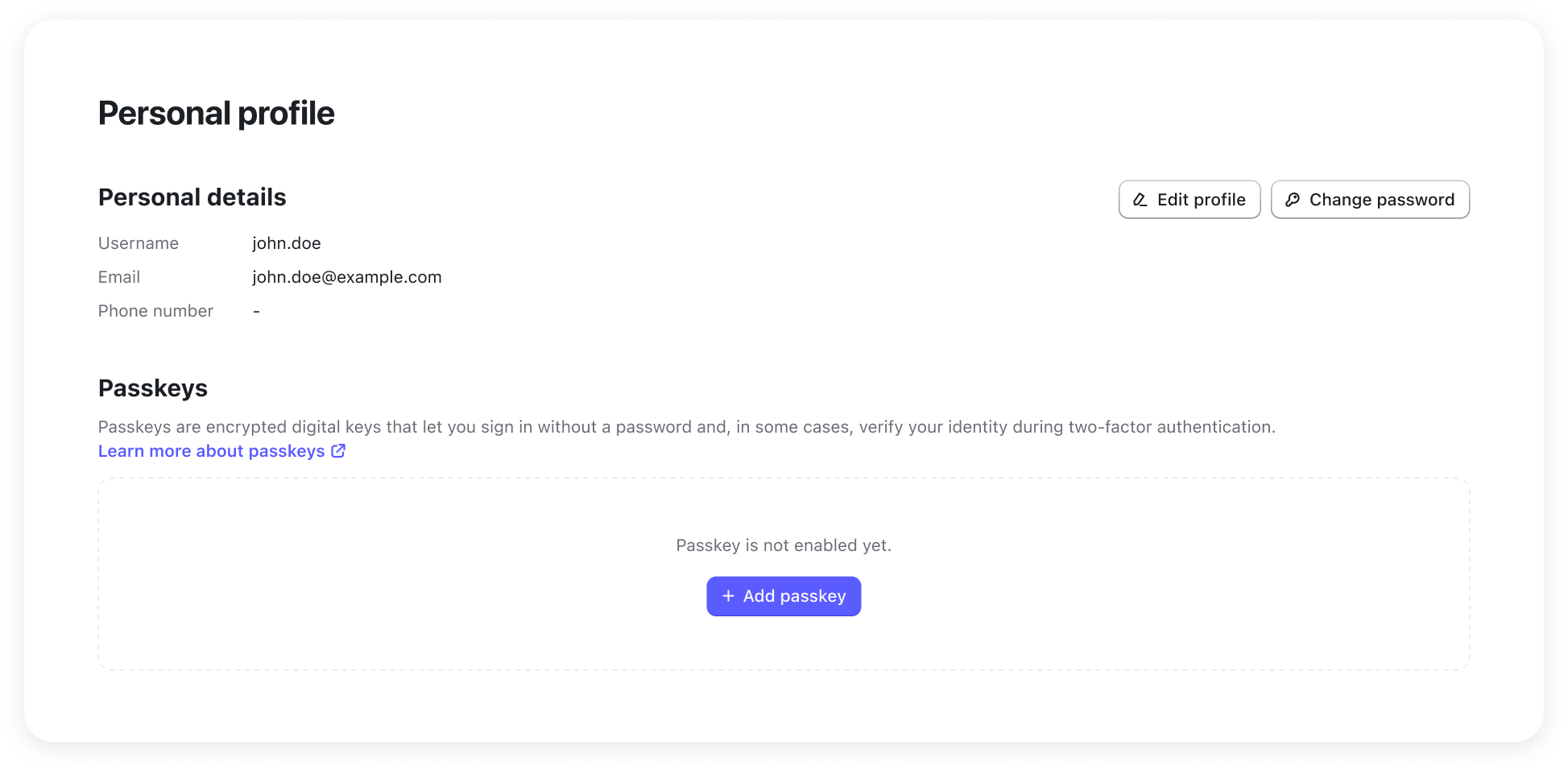
To set up a passkey:
- Select Add passkey.
- If required, verify your identity before continuing.
- Follow the prompts from your browser, operating system, or password manager.
- Complete setup and return to ONERWAY.
Once setup is complete, your passkey will appear in your passkey list.
Log in with a passkey
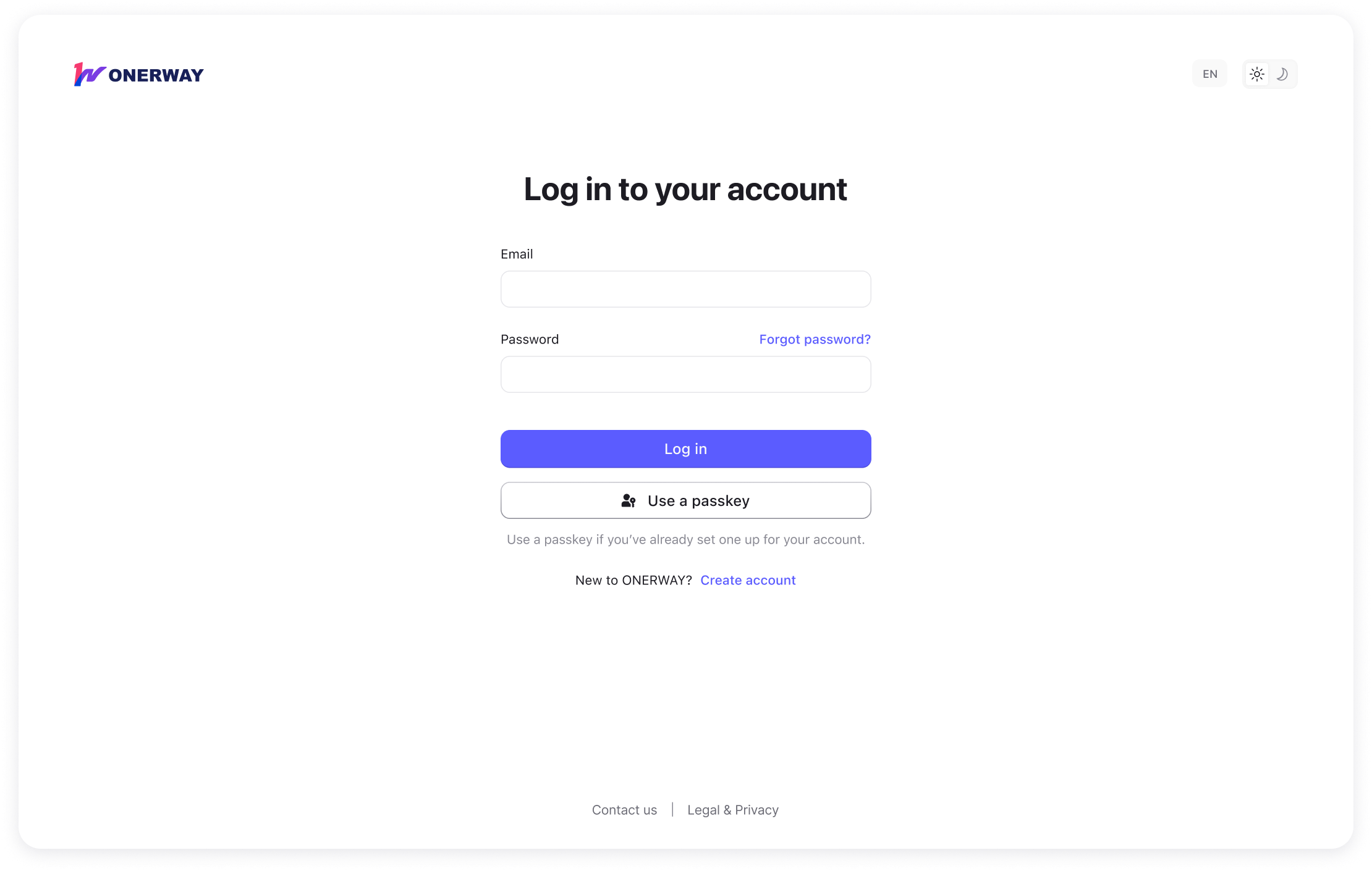
If you have already set up a passkey, you can use it from the login page.
To log in with a passkey:
- Open the ONERWAY login page.
- Select Use a passkey.
- Follow the prompt from your device, browser, or password manager.
- Complete login.
If no passkey is available on your current device, you can log in with your password and complete another verification step if required.
Manage your passkeys
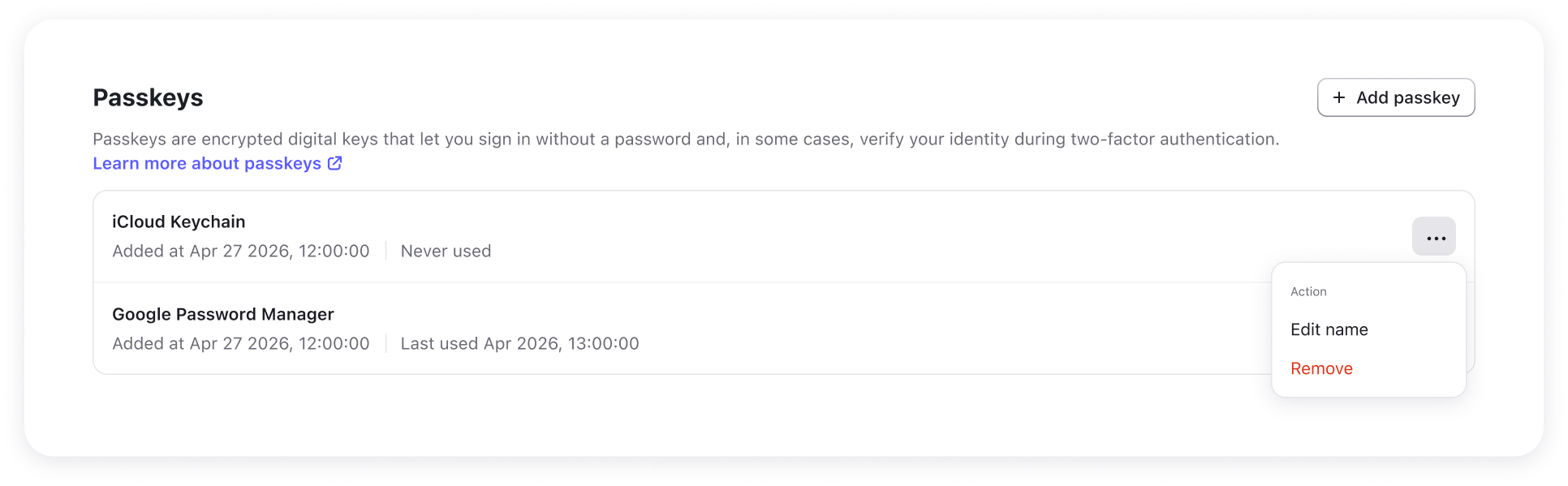
You can manage your passkeys from Personal profile.
From there, you can:
- View your existing passkeys
- Rename a passkey
- Remove a passkey
We recommend keeping your passkey name clear so you can identify where each passkey is stored.
If you lose your device
If you lose access to the device or password manager that stores your passkey:
- Try another device that has access to the same passkey
- Log in with your password and another available verification method
- Use your recovery codes, if available
If you cannot use any passkey or another verification method, and you do not have an available recovery code, you can submit an online request to reset 2FA from the account recovery flow:
- Requests from team members are handled by a Merchant Administrator.
- Requests from Merchant Administrators are handled by ONERWAY support.
Troubleshooting
No passkey is available on this device
This usually means your current device, browser, or password manager does not have access to a passkey for your account.
Try:
- Using another device
- Logging in with your password and completing another verification step if required
- Setting up a passkey after you log in
A passkey no longer works
If a saved passkey has been removed from your account, it may no longer work for login.
Try:
- Another passkey, if available
- Your password and another verification method
Your browser does not support passkey
If your current browser does not support passkey, the passkey option may not be shown.
In this case, log in with your password and use another verification method if needed.